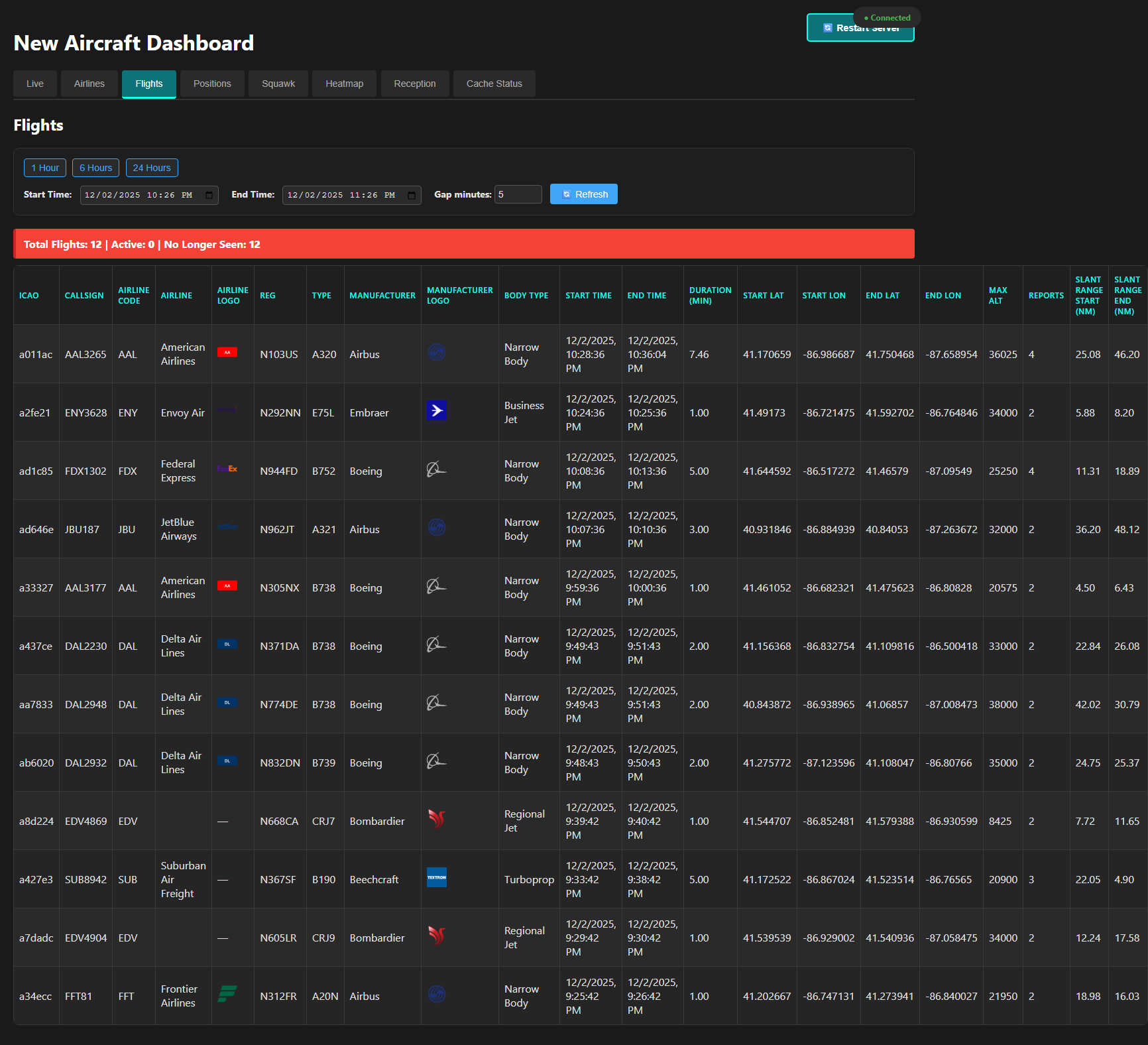
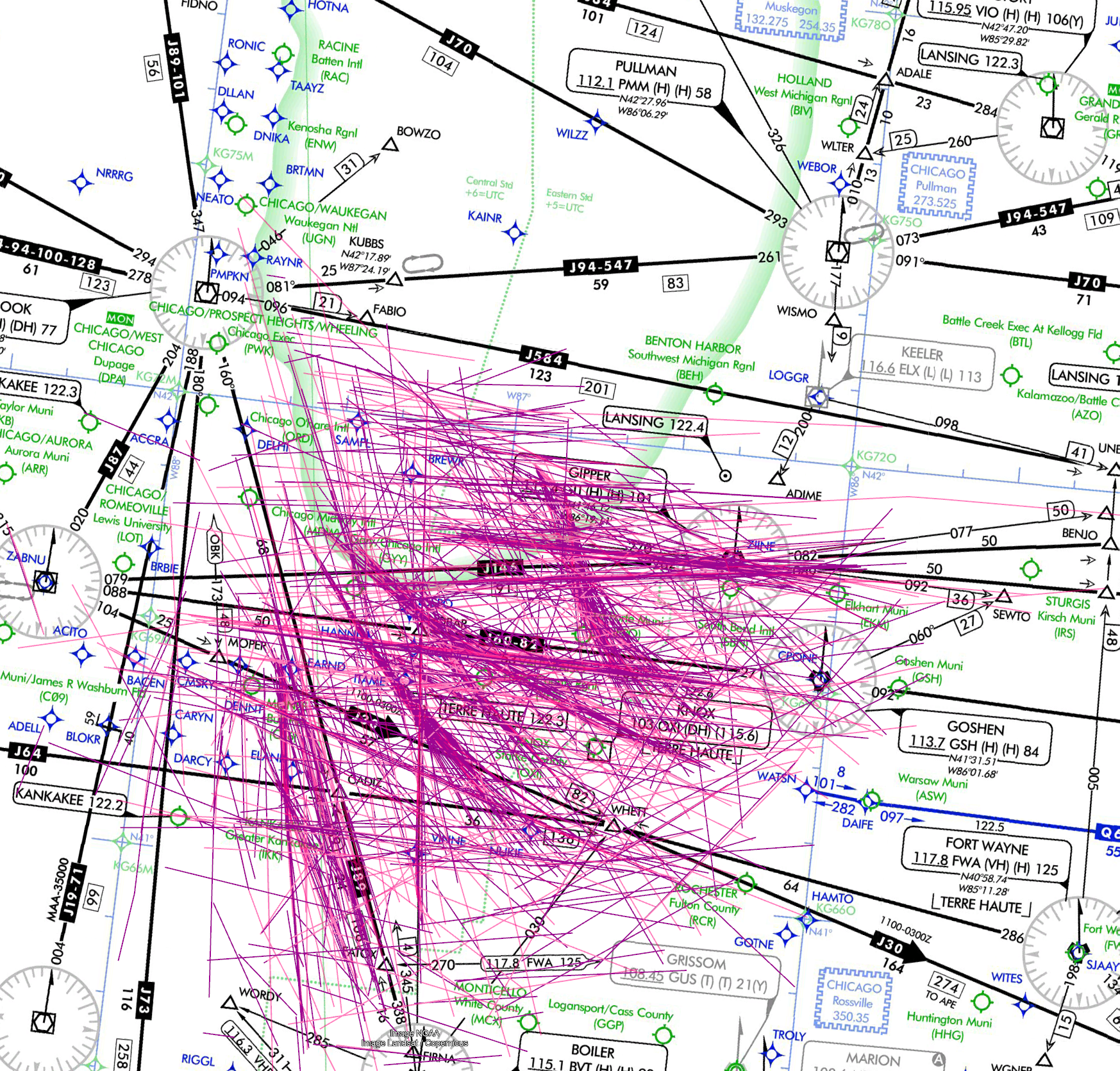
Spent some time with the Claude AI via the Warp Terminal and quickly developed some much better scripting than in the past. For the at home projects I tended to use the minimal amount of effort process possible.
This code was minimal amount of effort, but upon review better than anything I have written in less than a day. That it pulled the fastest KML handler that I had never been exposed to is remarkable.
That it grabbed the small angle/small distance first order approximation and not using a much more expensive library was remarkable.
<#
.SYNOPSIS
Analyzes GPS data from a CSV file with latitude and longitude information.
.DESCRIPTION
This script analyzes GPS data from a CSV file at “G:\Cooldrone\T LOGS\combined_c_fires.csv”.
It parses the GPS column (format: “latitude longitude”), calculates statistics,
finds geographic bounds, and estimates total distance traveled using the Haversine formula.
.PARAMETER MaxRows
Specifies the maximum number of rows to process from the CSV file. Default is 0, which processes all rows.
.NOTES
Author: Script Generator
Date: Created automatically
#>
param (
[int]$MaxRows = 0, # Default value 0 means process all rows
[bool]$CreateKml = $true # Default to creating a KML file
)
# Define the path to the CSV file
$originalCsvPath = “G:\Cooldrone\T LOGS\combined_c_fires.csv”
# Create a temporary file path
$tempFileName = “temp_” + [System.IO.Path]::GetFileName($originalCsvPath)
$tempCsvPath = Join-Path $env:TEMP $tempFileName
$csvPath = $tempCsvPath
# Function to get current timestamp for logging
function Get-TimeStamp {
return “[{0:yyyy-MM-dd HH:mm:ss}]” -f (Get-Date)
}
# Function for logging
function Write-Log {
param (
[string]$Message,
[string]$ForegroundColor = “White”
)
Write-Host “$(Get-TimeStamp) $Message” -ForegroundColor $ForegroundColor
}
# Function to generate KML content from GPS points
function New-KmlContent {
param (
[Parameter(Mandatory = $true)]
[array]$Points,
[string]$Description = “GPS Track”
)
try {
Write-Log “Generating KML content for ${$Points.Count} points…” -ForegroundColor Yellow
# KML header and document start
$kml = @”
<?xml version=”1.0″ encoding=”UTF-8″?>
<kml xmlns=”http://www.opengis.net/kml/2.2″>
<Document>
<name>GPS Data Track</name>
<description>$Description</description>
<Style id=”yellowLineGreenPoly”>
<LineStyle>
<color>7f00ffff</color>
<width>4</width>
</LineStyle>
<PolyStyle>
<color>7f00ff00</color>
</PolyStyle>
</Style>
“@
# Add individual placemarks for each point
foreach ($point in $Points) {
$kml += @”
<Placemark>
<name>Point at $($point.Date) $($point.Time)</name>
<description>Lat: $($point.Latitude), Lon: $($point.Longitude)</description>
<Point>
<coordinates>$($point.Longitude),$($point.Latitude),0</coordinates>
</Point>
</Placemark>
“@
}
# Add LineString path connecting all points
$kml += @”
<Placemark>
<name>Path</name>
<description>GPS track path</description>
<styleUrl>#yellowLineGreenPoly</styleUrl>
<LineString>
<extrude>1</extrude>
<tessellate>1</tessellate>
<coordinates>
“@
# Add all points to the path
foreach ($point in $Points) {
$kml += “$($point.Longitude),$($point.Latitude),0 `n”
}
# Close the LineString and document
$kml += @”
</coordinates>
</LineString>
</Placemark>
</Document>
</kml>
“@
return $kml
}
catch {
Write-Log “ERROR: Failed to generate KML content.” -ForegroundColor Red
Write-Log “Exception details: $($_.Exception.Message)” -ForegroundColor Red
return $null
}
}
# Function to calculate distance between two points using Haversine formula
function Get-HaversineDistance {
param (
[double]$lat1,
[double]$lon1,
[double]$lat2,
[double]$lon2
)
# Earth radius in kilometers
$earthRadius = 6371
# Convert latitude and longitude from degrees to radians
$dLat = [Math]::PI / 180 * ($lat2 – $lat1)
$dLon = [Math]::PI / 180 * ($lon2 – $lon1)
# Convert to radians
$lat1 = [Math]::PI / 180 * $lat1
$lat2 = [Math]::PI / 180 * $lat2
# Apply Haversine formula
$a = [Math]::Sin($dLat/2) * [Math]::Sin($dLat/2) +
[Math]::Cos($lat1) * [Math]::Cos($lat2) *
[Math]::Sin($dLon/2) * [Math]::Sin($dLon/2)
$c = 2 * [Math]::Atan2([Math]::Sqrt($a), [Math]::Sqrt(1-$a))
$distance = $earthRadius * $c
return $distance
}
Write-Log “Starting GPS data analysis…” -ForegroundColor Cyan
Write-Log “Using original CSV file: $originalCsvPath” -ForegroundColor Yellow
# Verify the original CSV file exists before attempting to copy it
if (-not (Test-Path -Path $originalCsvPath)) {
Write-Log “ERROR: Original CSV file does not exist at path: $originalCsvPath” -ForegroundColor Red
exit 1
}
# Copy the CSV file to a temporary location
try {
Write-Log “Copying CSV file to temporary location: $tempCsvPath” -ForegroundColor Yellow
Copy-Item -Path $originalCsvPath -Destination $tempCsvPath -Force
Write-Log “Successfully copied CSV file to temporary location” -ForegroundColor Green
Write-Log “Reading CSV file from: $tempCsvPath” -ForegroundColor Yellow
}
catch {
Write-Log “ERROR: Failed to copy CSV file to temporary location” -ForegroundColor Red
Write-Log “Exception details: $($_.Exception.Message)” -ForegroundColor Red
Write-Log “Stack trace: $($_.ScriptStackTrace)” -ForegroundColor Red
exit 1
}
# Verify the temporary CSV file exists before attempting to load it
if (-not (Test-Path -Path $csvPath)) {
Write-Log “ERROR: Temporary CSV file does not exist at path: $csvPath” -ForegroundColor Red
exit 1
}
# Read the CSV file
try {
Write-Log “Attempting to import CSV…” -ForegroundColor Yellow
# First count total rows in the CSV file
$totalRowsInCsv = (Import-Csv -Path $csvPath).Count
Write-Log “Total rows in CSV file: $totalRowsInCsv” -ForegroundColor Yellow
# First import with just GPS filtering to track how many rows have valid GPS but low satellite count
$dataWithValidGps = Import-Csv -Path $csvPath | Where-Object { -not [string]::IsNullOrWhiteSpace($_.GPS) }
$rowsWithValidGps = $dataWithValidGps.Count
$filteredNullGpsRows = $totalRowsInCsv – $rowsWithValidGps
Write-Log “Filtered out $filteredNullGpsRows rows with null/empty GPS data” -ForegroundColor Yellow
# Now import with both GPS and Sats filtering
$data = $dataWithValidGps | Where-Object { [int]$_.Sats -ge 5 }
# Calculate filtered rows due to low satellite count
$filteredLowSatsRows = $rowsWithValidGps – $data.Count
Write-Log “Filtered out $filteredLowSatsRows rows with valid GPS but Sats < 5” -ForegroundColor Yellow
# Total filtered rows
$totalFilteredRows = $filteredNullGpsRows + $filteredLowSatsRows
if ($null -eq $data -or $data.Count -eq 0) {
Write-Log “WARNING: CSV file is empty or contains no data” -ForegroundColor Yellow
}
else {
Write-Log “Successfully loaded CSV with $($data.Count) records.” -ForegroundColor Green
# Check if we’re limiting the number of rows to process
if ($MaxRows -gt 0) {
if ($MaxRows -lt $data.Count) {
Write-Log “Processing only the first $MaxRows rows as specified.” -ForegroundColor Yellow
$data = $data | Select-Object -First $MaxRows
} else {
Write-Log “MaxRows parameter ($MaxRows) is greater than or equal to the total row count ($($data.Count)). Processing all rows.” -ForegroundColor Yellow
}
} else {
Write-Log “Processing all $($data.Count) rows.” -ForegroundColor Yellow
}
}
}
catch {
Write-Log “ERROR: Failed to read the CSV file.” -ForegroundColor Red
Write-Log “Exception details: $($_.Exception.Message)” -ForegroundColor Red
Write-Log “Stack trace: $($_.ScriptStackTrace)” -ForegroundColor Red
exit 1
}
# Initialize variables for statistics
$validGpsCount = 0
$latitudes = @()
$longitudes = @()
$points = @()
# Initialize variables for geographic bounds
$northPoint = $null
$southPoint = $null
$eastPoint = $null
$westPoint = $null
# Parse GPS data and extract latitude and longitude
Write-Log “Analyzing GPS data…” -ForegroundColor Yellow
$processedRows = 0
$invalidGpsCount = 0
foreach ($row in $data) {
$processedRows++
# Log progress every 1000 rows
if ($processedRows % 1000 -eq 0) {
Write-Log “Processing row $processedRows of $($data.Count)…” -ForegroundColor Yellow
}
# Process GPS data (all rows already have GPS data due to filtering during import)
# Split GPS string into latitude and longitude
$gpsCoords = $row.GPS -split ‘ ‘
# Ensure we have two values
# Ensure we have two values
if ($gpsCoords.Count -eq 2) {
try {
$lat = [double]$gpsCoords[1] # Swapped from [0] to [1]
$lon = [double]$gpsCoords[0] # Swapped from [1] to [0]
# Store valid coordinates
$latitudes += $lat
$longitudes += $lon
# Create a point object with additional data for reporting
$point = [PSCustomObject]@{
Latitude = $lat
Longitude = $lon
Date = $row.Date
Time = $row.Time
}
$points += $point
# Update valid GPS count
$validGpsCount++
# Update geographic bounds
# Northernmost (highest latitude)
if ($null -eq $northPoint -or $lat -gt $northPoint.Latitude) {
$northPoint = $point
}
# Southernmost (lowest latitude)
if ($null -eq $southPoint -or $lat -lt $southPoint.Latitude) {
$southPoint = $point
}
# Easternmost (highest longitude)
if ($null -eq $eastPoint -or $lon -gt $eastPoint.Longitude) {
$eastPoint = $point
}
# Westernmost (lowest longitude)
if ($null -eq $westPoint -or $lon -lt $westPoint.Longitude) {
$westPoint = $point
}
}
catch {
# Skip rows with invalid numeric data
$invalidGpsCount++
$gpsValue = $row.GPS
$errorMsg = $_.Exception.Message
Write-Log “WARNING: Skipping invalid GPS data at row $processedRows. GPS value: ‘$gpsValue’. Error: $errorMsg” -ForegroundColor Yellow -Verbose
}
}
}
Write-Log “Completed GPS data extraction. Found $validGpsCount valid GPS points and $invalidGpsCount invalid records (after initial filtering).\” -ForegroundColor Cyan
# Calculate statistics
try {
Write-Log “Calculating statistics…” -ForegroundColor Yellow
if ($validGpsCount -gt 0) {
# Latitude statistics
$minLat = ($latitudes | Measure-Object -Minimum).Minimum
$maxLat = ($latitudes | Measure-Object -Maximum).Maximum
$avgLat = ($latitudes | Measure-Object -Average).Average
# Longitude statistics
$minLon = ($longitudes | Measure-Object -Minimum).Minimum
$maxLon = ($longitudes | Measure-Object -Maximum).Maximum
$avgLon = ($longitudes | Measure-Object -Average).Average
# Calculate total distance traveled
$totalDistance = 0
try {
Write-Log “Calculating total distance traveled across $($points.Count) points…” -ForegroundColor Yellow
for ($i = 0; $i -lt $points.Count – 1; $i++) {
# Log progress for large datasets
if ($points.Count -gt 1000 -and $i % 1000 -eq 0) {
Write-Log ” Processing distance calculation $i of $($points.Count-1)…” -ForegroundColor Yellow
}
$distance = Get-HaversineDistance -lat1 $points[$i].Latitude -lon1 $points[$i].Longitude `
-lat2 $points[$i+1].Latitude -lon2 $points[$i+1].Longitude
$totalDistance += $distance
}
Write-Log “Distance calculation complete.” -ForegroundColor Green
}
catch {
Write-Log “ERROR: Failed during distance calculation at point index $i.” -ForegroundColor Red
Write-Log “Exception details: $($_.Exception.Message)” -ForegroundColor Red
Write-Log “Stack trace: $($_.ScriptStackTrace)” -ForegroundColor Red
# Continue execution instead of exiting to still show other statistics
}
# Generate report
Write-Log “`n============= GPS Data Analysis Report =============” -ForegroundColor Cyan
Write-Log “Total records in CSV: $($data.Count)”
if ($MaxRows -gt 0 -and $MaxRows -lt $data.Count) {
Write-Log “Records processed (limited by MaxRows parameter): $MaxRows”
} else {
Write-Log “Total records processed: $($data.Count)”
}
Write-Host “Records with valid GPS data: $validGpsCount”
Write-Log “Percentage of imported records with valid GPS data: $([math]::Round(($validGpsCount / $data.Count) * 100, 2))%”
Write-Log “Records filtered out during import (null GPS): $filteredNullGpsRows”
Write-Log “Records filtered out during import (Sats < 5): $filteredLowSatsRows”
Write-Log “Total records filtered out: $totalFilteredRows”
Write-Log “Invalid GPS records encountered: $invalidGpsCount”
Write-Log “`nLatitude Statistics:” -ForegroundColor Yellow
Write-Log ” Minimum: $([math]::Round($minLat, 6))°”
Write-Log ” Maximum: $([math]::Round($maxLat, 6))°”
Write-Log ” Average: $([math]::Round($avgLat, 6))°”
Write-Log “`nLongitude Statistics:” -ForegroundColor Yellow
Write-Log ” Minimum: $([math]::Round($minLon, 6))°”
Write-Log ” Maximum: $([math]::Round($maxLon, 6))°”
Write-Log ” Average: $([math]::Round($avgLon, 6))°”
Write-Log “`nGeographic Bounds:” -ForegroundColor Yellow
Write-Log ” Northernmost point: $([math]::Round($northPoint.Latitude, 6))°, $([math]::Round($northPoint.Longitude, 6))° (Date: $($northPoint.Date), Time: $($northPoint.Time))”
Write-Log ” Southernmost point: $([math]::Round($southPoint.Latitude, 6))°, $([math]::Round($southPoint.Longitude, 6))° (Date: $($southPoint.Date), Time: $($southPoint.Time))”
Write-Log ” Easternmost point: $([math]::Round($eastPoint.Latitude, 6))°, $([math]::Round($eastPoint.Longitude, 6))° (Date: $($eastPoint.Date), Time: $($eastPoint.Time))”
Write-Log ” Westernmost point: $([math]::Round($westPoint.Latitude, 6))°, $([math]::Round($westPoint.Longitude, 6))° (Date: $($westPoint.Date), Time: $($westPoint.Time))”
Write-Log “`nDistance Statistics:” -ForegroundColor Yellow
Write-Log ” Total distance traveled: $([math]::Round($totalDistance, 2)) km ($([math]::Round($totalDistance * 0.621371, 2)) miles)”
# Calculate area of the covered region (very rough approximation)
$latSpan = $maxLat – $minLat
$lonSpan = $maxLon – $minLon
Write-Log ” Approximate geographic area covered: $([math]::Round($latSpan, 2))° latitude by $([math]::Round($lonSpan, 2))° longitude”
Write-Log “=================================================” -ForegroundColor Cyan
}
else {
Write-Log “No valid GPS data found in the CSV file.” -ForegroundColor Red
}
}
catch {
Write-Log “ERROR: Failed during statistical calculations.” -ForegroundColor Red
Write-Log “Exception details: $($_.Exception.Message)” -ForegroundColor Red
Write-Log “Stack trace: $($_.ScriptStackTrace)” -ForegroundColor Red
exit 1
}
# Create KML file if option is enabled
if ($CreateKml -and $validGpsCount -gt 0) {
try {
Write-Log “`nGenerating KML file from GPS data…” -ForegroundColor Yellow
# Create KML file name based on original CSV file name
$kmlFileName = [System.IO.Path]::GetFileNameWithoutExtension($originalCsvPath) + “.kml”
$kmlFilePath = Join-Path (Get-Location).Path $kmlFileName
# Generate KML content
$kmlContent = New-KmlContent -Points $points -Description “GPS data extracted from $originalCsvPath”
if ($null -ne $kmlContent) {
# Save the KML content to file
$kmlContent | Out-File -FilePath $kmlFilePath -Encoding utf8 -Force
# Verify the file was created
if (Test-Path -Path $kmlFilePath) {
Write-Log “KML file created successfully at: $kmlFilePath” -ForegroundColor Green
} else {
Write-Log “WARNING: KML file creation failed. File not found at expected location.” -ForegroundColor Yellow
}
} else {
Write-Log “ERROR: Failed to generate KML content. No file created.” -ForegroundColor Red
}
}
catch {
Write-Log “ERROR: Failed to create KML file.” -ForegroundColor Red
Write-Log “Exception details: $($_.Exception.Message)” -ForegroundColor Red
Write-Log “Stack trace: $($_.ScriptStackTrace)” -ForegroundColor Red
}
}
elseif ($CreateKml -and $validGpsCount -eq 0) {
Write-Log “`nKML file generation skipped: No valid GPS points found.” -ForegroundColor Yellow
}
elseif (-not $CreateKml) {
Write-Log “`nKML file generation skipped as per parameter setting.” -ForegroundColor Yellow
}
Write-Log “`nAnalysis complete!” -ForegroundColor Green
# Clean up temporary file
try {
if (Test-Path -Path $tempCsvPath) {
Write-Log “Cleaning up temporary CSV file…” -ForegroundColor Yellow
Remove-Item -Path $tempCsvPath -Force
Write-Log “Temporary CSV file removed successfully” -ForegroundColor Green
}
}
catch {
Write-Log “WARNING: Failed to remove temporary CSV file at: $tempCsvPath” -ForegroundColor Yellow
Write-Log “Exception details: $($_.Exception.Message)” -ForegroundColor Yellow
}